Flowbit Calibration
What is Flowbit Calibration
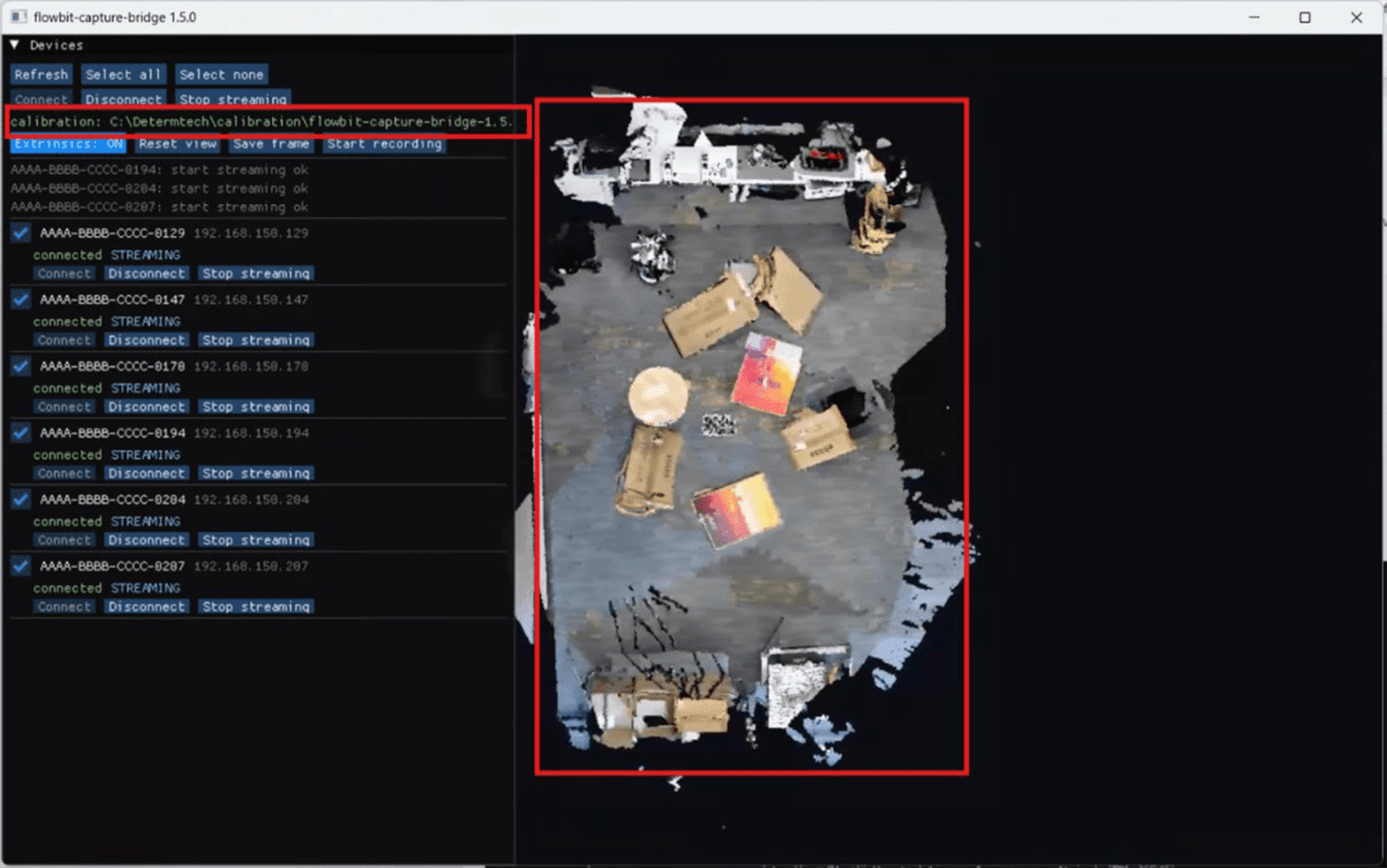
Flowbit Calibration works out where each of your fixed cameras actually sits in the space, so their separate point clouds line up into one. For every camera it computes a metric Sensor → World extrinsic, a 4×4 matrix, from one multi-camera frame plus a set of photos you take with an ordinary phone.
Without it, every camera draws from the same origin and the space comes out as a pile. Calibration is the step between mounting your cameras and using their data.
What calibration produces
One 4×4 Sensor → World matrix per camera, in metres, right-handed, written to calibration_result.json. That one file is what the rest of the system reads:
Flowbit Capture applies it live, so the 3D view fuses into one space.
The Flowbit Server SDK and the Unity Plugin use the same extrinsics to place each camera's cloud in your application.
3D segmentation fuses against it, so an object seen by several cameras becomes one instance instead of several.
To learn more about where the origin sits and which way the axes point, see Coordinate systems.
How calibration works
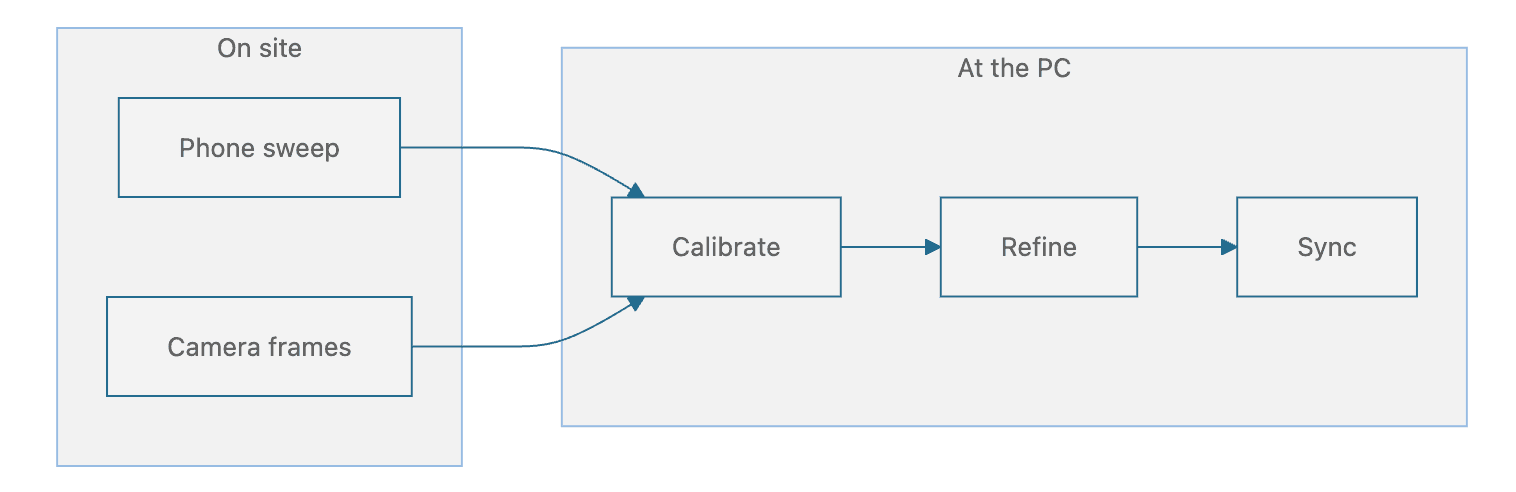
Both the phone photos and the camera frame feed Calibrate. Everything after that happens at the PC.
Phone sweep. 20 or more overlapping photos give a structure-from-motion reconstruction of the space.
Camera frames. One synchronized frame from the fixed cameras is registered into that reconstruction.
Calibrate. This solves each camera's pose and sets metric scale from the printed board, from the cameras' depth, or from both.
Refine. This improves the poses using extra scenes, with guards that refuse a worse answer.
Sync. This pushes the poses to Flowbit Capture live and writes the result into its config.
The work splits into two phases. Phase 1 is physical work in a space: printing a board, walking around with a phone, triggering the cameras. Phase 2 is computing work on a PC: calibrate, refine, sync.
What you need to run it
Flowbit Calibration does not talk to the cameras itself. It drives them through Flowbit Capture, which has to be installed and streaming on the same PC. You also need a phone on the same Wi-Fi, and a space whose cameras are already mounted and immovable.
To learn more, see Install and Start Flowbit Calibration.
In this section
Quickstart
How-to guide
Reference